
Ζύγιση και Μέτρηση Αντικειμένων με Cubiscan
Το ακόλουθο εγχειρίδιο χρήστη περιγράφει τη χρήση των CubiScan Dimensioning Systems στις ροές εργασίας παραγωγής της PhotoRobot. Σε μια τυπική ροή εργασίας της PhotoRobot, το CubiScan είναι μια προαιρετική συσκευή, αλλά η χρήση του επιτρέπει μεγαλύτερα επίπεδα αυτοματισμού και παραγωγικότητας. Συγκεκριμένα, η συσκευή είναι ευρέως δημοφιλής για την εισαγωγή αυτοματισμού στις γραμμές αποστολής και παραλαβής.
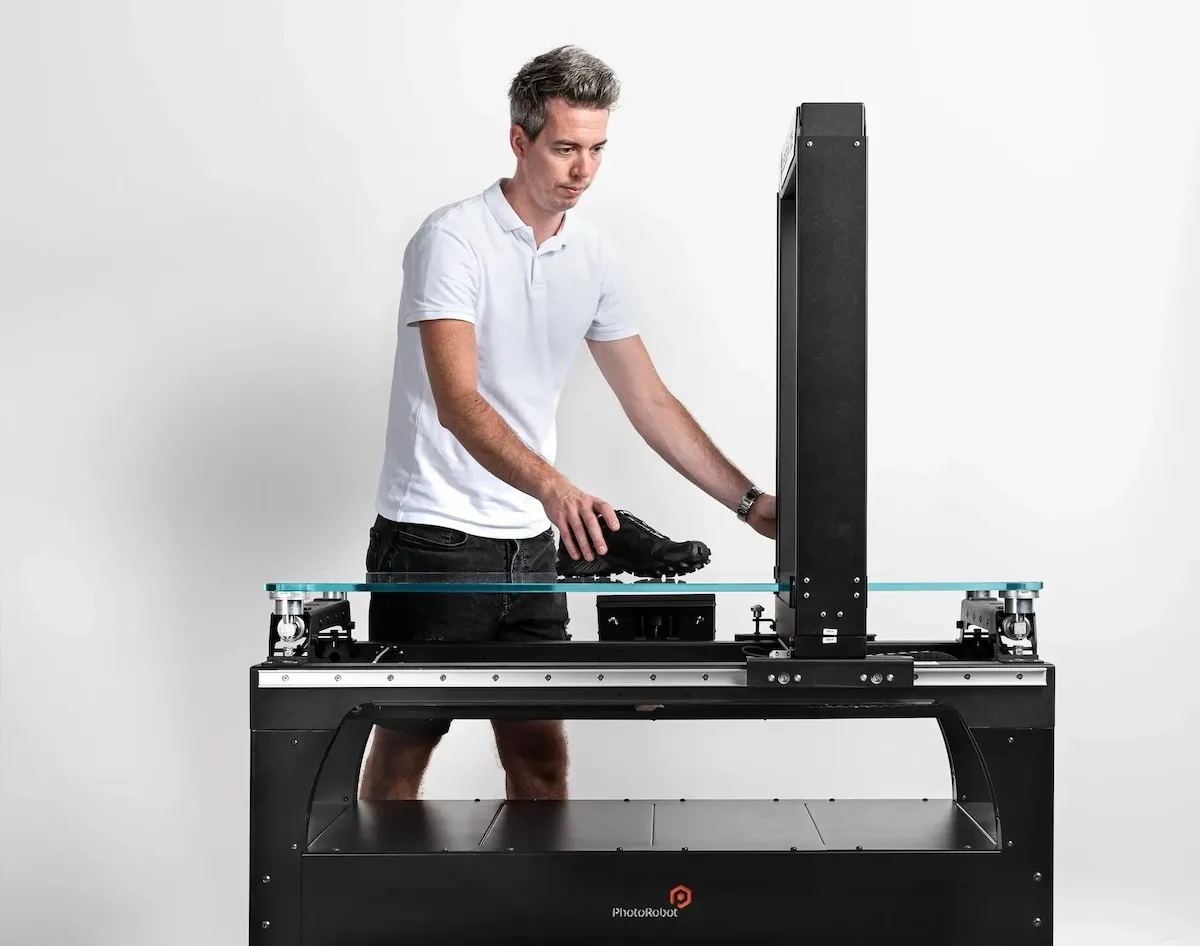
Το CubiScan λειτουργεί για να ζυγίζει & μετράει αντικείμενα (σε μετρικές ή αυτοκρατορικές μονάδες), να καταγράφει αυτόματα και να δημιουργεί μεταδεδομένα, και να αυτοματοποιεί τις ακολουθίες φωτογραφίας. Το μηχάνημα καταγράφει όλες τις πληροφορίες μέτρησης, όγκου και βάρους ως μεταδεδομένα προϊόντος, τα οποία παράλληλα προσαρμόζουν αυτόματα τις ρυθμίσεις του PhotoRobot.
Αυτό επιτρέπει την αυτόματη ρύθμιση ενός ROBOTIC ARM στο κέντρο του ύψους ενός αντικειμένου πριν την έναρξη της ρομποτικής λήψης. Η λήψη γίνεται τότε σε σχέση με το ύψος του αντικειμένου στο TURNTABLE, και τη θέση του προϊόντος. Επιπλέον, όλες οι πληροφορίες είναι άμεσα διαθέσιμες σε μια βάση δεδομένων για την αυτοματοποιημένη δημοσίευση λεπτομερειών προϊόντος μαζί με εικόνες.
Με αυτόν τον τρόπο, οι ομάδες λαμβάνουν πολύτιμα δεδομένα για κάθε αντικείμενο, ενώ παράλληλα αυτοματοποιούν πλήρως τη λήψη σύμφωνα με συγκεκριμένες διαστάσεις και μετρήσεις.
Σημείωση: Αυτό το εγχειρίδιο χρήστη παρέχει μια επισκόπηση του CubiScan 325, το οποίο είναι η συσκευή που συνιστά η PhotoRobot με τα συστήματά της.
Χρήση του CubiScan για Αυτόματη Προσαρμογή PhotoRobot
Για την αυτόματη ρύθμιση του PhotoRobot, είναι πλεονεκτικό να έχετε πληροφορίες σχετικά με το μέγεθος του αντικειμένου προς φωτογράφιση. Τουλάχιστον, οι πληροφορίες θα πρέπει να περιλαμβάνουν μια μέτρηση του ύψους του αντικειμένου από το TURNTABLE, σε σχέση με τη θέση του αντικειμένου. Με αυτές τις πληροφορίες, είναι δυνατή η αυτόματη ανύψωση στο κάθετο κέντρο ενός προϊόντος πριν από την έναρξη μιας ακολουθίας και χρησιμοποιώντας τις διαστάσεις του αντικειμένου. Αυτό είναι ζωτικής σημασίας για να διασφαλιστεί ότι το σύστημα έχει ρυθμιστεί να λειτουργεί αυτόματα και σωστά, ειδικά κατά τη λήψη SPIN πολλαπλών σειρών.
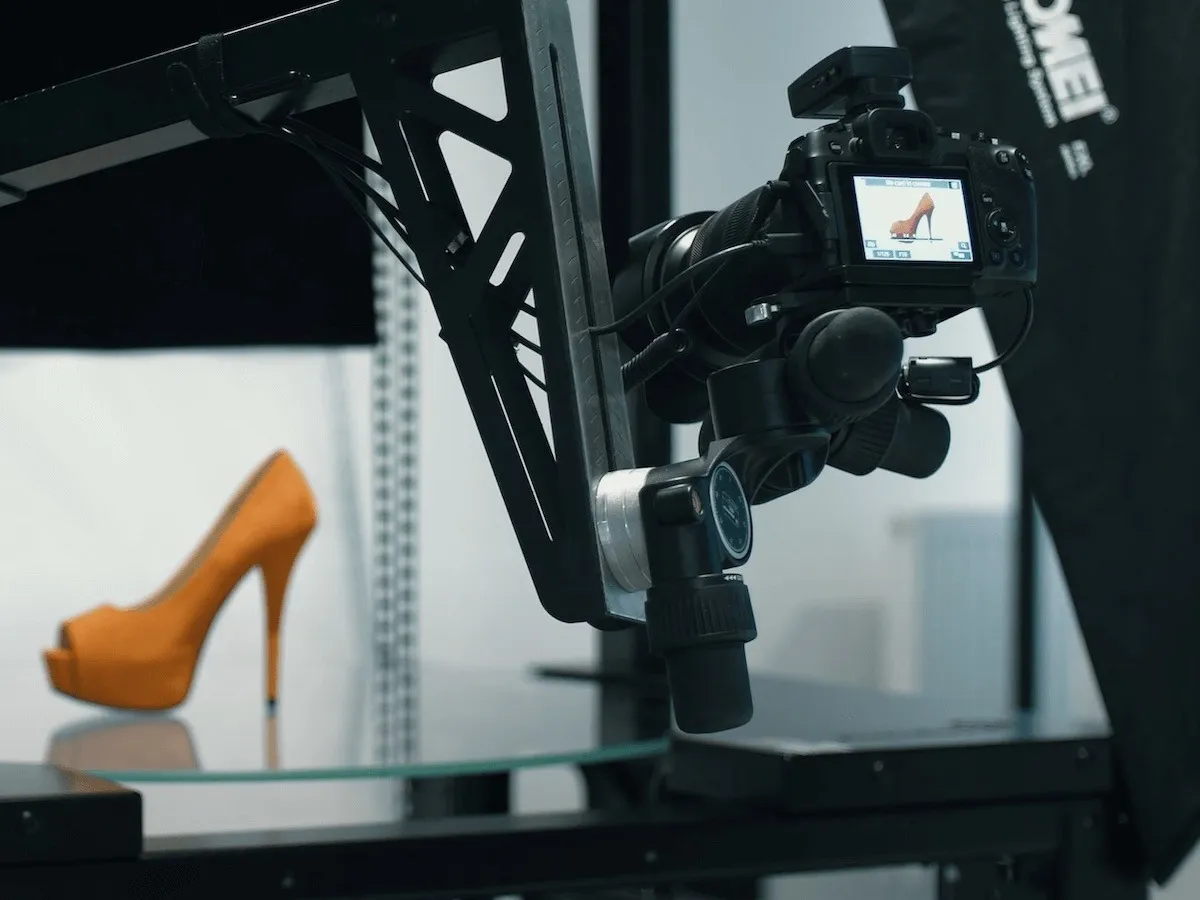
Για αυτό, η εταιρεία μπορεί να επιλέξει να εισάγει τις πληροφορίες απευθείας από ένα εσωτερικό σύστημα. Ωστόσο, εάν οι πληροφορίες είναι μη διαθέσιμες ή αναξιόπιστες, είναι δυνατή η ημι-αυτόματη ή αυτόματη μέτρηση και καταγραφή των πληροφοριών του αντικειμένου μέσω του CubiScan.
Το CubiScan λειτουργεί για να ζυγίζει & μετρά τα αντικείμενα και να καταγράφει αυτόματα τις λεπτομέρειές τους στη βάση δεδομένων προϊόντων. Αυτό είναι επίσης χρήσιμο για μετέπειτα χρήση σε διάφορα κανάλια, από το ηλεκτρονικό εμπόριο έως την εφοδιαστική και άλλα. Οι μετρήσεις (μέγεθος και βάρος) μπορούν να συμπεριληφθούν στα δεδομένα εξαγωγής με την ολοκλήρωση κάθε συμφωνίας φωτογραφίας.
CubiScan 325 - Προτεινόμενο CubiScan από το PhotoRobot
Ενώ το PhotoRobot υποστηρίζει πλήρως όλα τα προϊόντα CubiScan σε επίπεδο σύνδεσης δεδομένων, συνιστούμε τη χρήση της συσκευής CubiScan 325. Το σύστημα διαστασιολόγησης CubiScan 325 προσφέρει καλύτερες παραμέτρους και μεγαλύτερη ευκολία χρήσης από το παλαιότερο CubiScan 125.
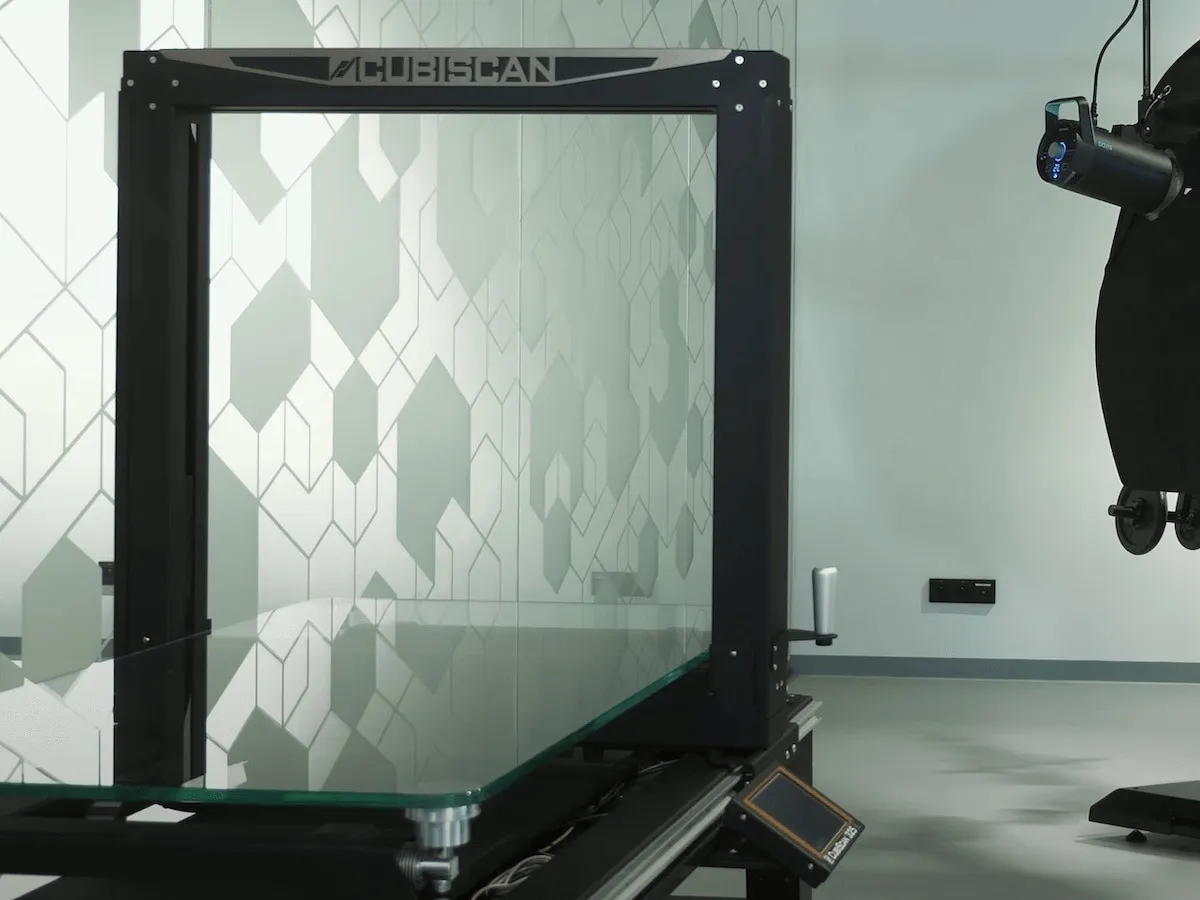
Και τα δύο συστήματα έχουν την ίδια τιμή. Η μόνη διαφορά είναι η απουσία αισθητήρων υπερήχων στο νεότερο CubiScan 325. Ωστόσο, αυτοί οι αισθητήρες δεν είναι χρήσιμοι για τον δεδομένο σκοπό του.
Το CubiScan 325 είναι ικανό να μετρά προϊόντα έως μέγιστο μέγεθος 90 x 60 x 60cm και να ζυγίζει έως 25kg με σφάλμα μέτρησης 2g.
Προαιρετικό υποστηρικτικό TABLE για CubiScan 325
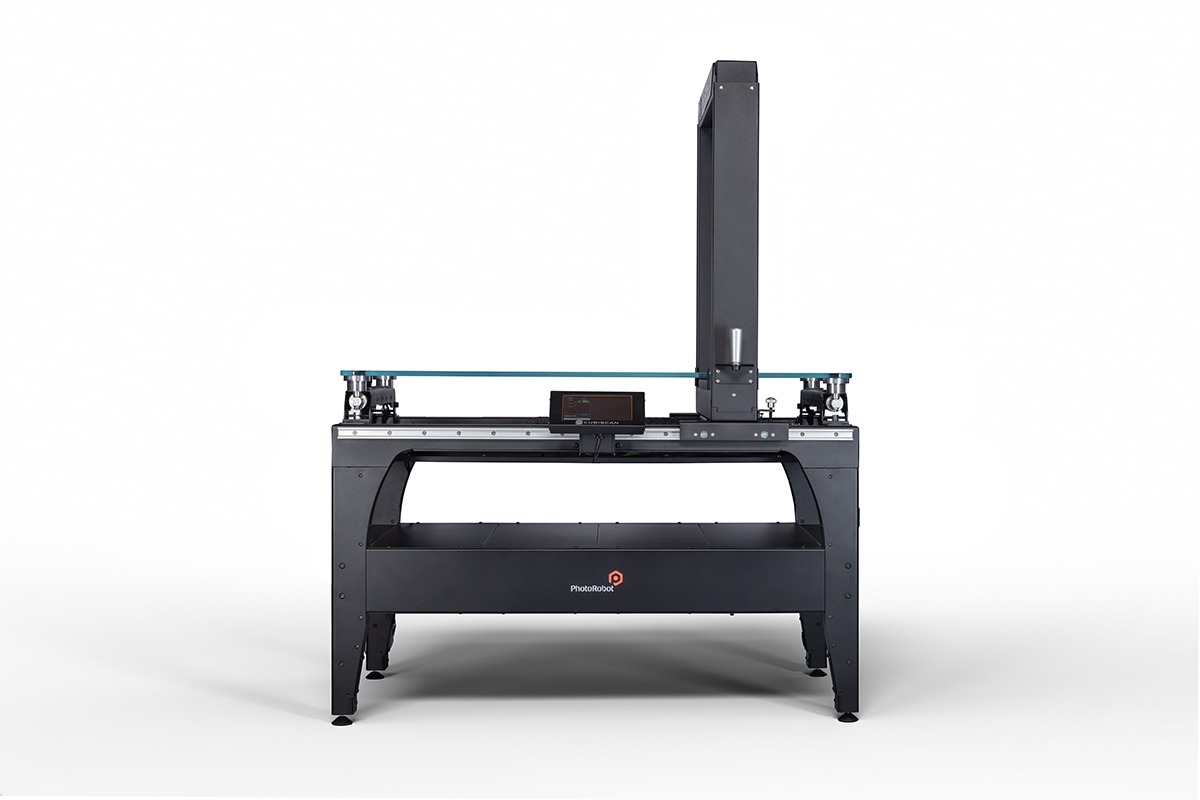
Ενώ το CubiScan μπορεί να τοποθετηθεί σε γραφείο ή στο πάτωμα, η PhotoRobot κατασκευάζει επίσης ένα υποστηρικτικό TABLE για CubiScan 325 ως προαιρετικό αξεσουάρ. Το υποστηρικτικό TABLE παρέχει ένα εργονομικό ύψος εργασίας για τη συσκευή CubiScan 325, με ράφια αποθήκευσης για κουτιά / προϊόντα που αναμένουν ή έχουν μετρηθεί.
Υποστήριξη Αναγνώστη Γραμμωτού Κώδικα στην Εφαρμογή Ελέγχου PhotoRobot
Εκτός από το CubiScan, το PhotoRobot υποστηρίζει επίσης αναγνώστες γραμμωτού κώδικα για την αναγνώριση αντικειμένων στο σύστημα πριν από τη ζύγιση και τη μέτρηση. Αυτό επιτρέπει στις ομάδες να σαρώνουν απλώς έναν κωδικό προϊόντος αντί να τον αναζητούν με το όνομα στο σύστημα.
Σημείωση: Για περισσότερες πληροφορίες σχετικά με την υποστήριξη αναγνώστη γραμμωτού κώδικα, συμπεριλαμβανομένων των κατάλληλων συστάσεων γραμμωτού κώδικα για χρήση με το PhotoRobot, ανατρέξτε στις Απαιτήσεις Συστήματος PhotoRobot.
Ενεργοποίηση SmartCode του CubiScan
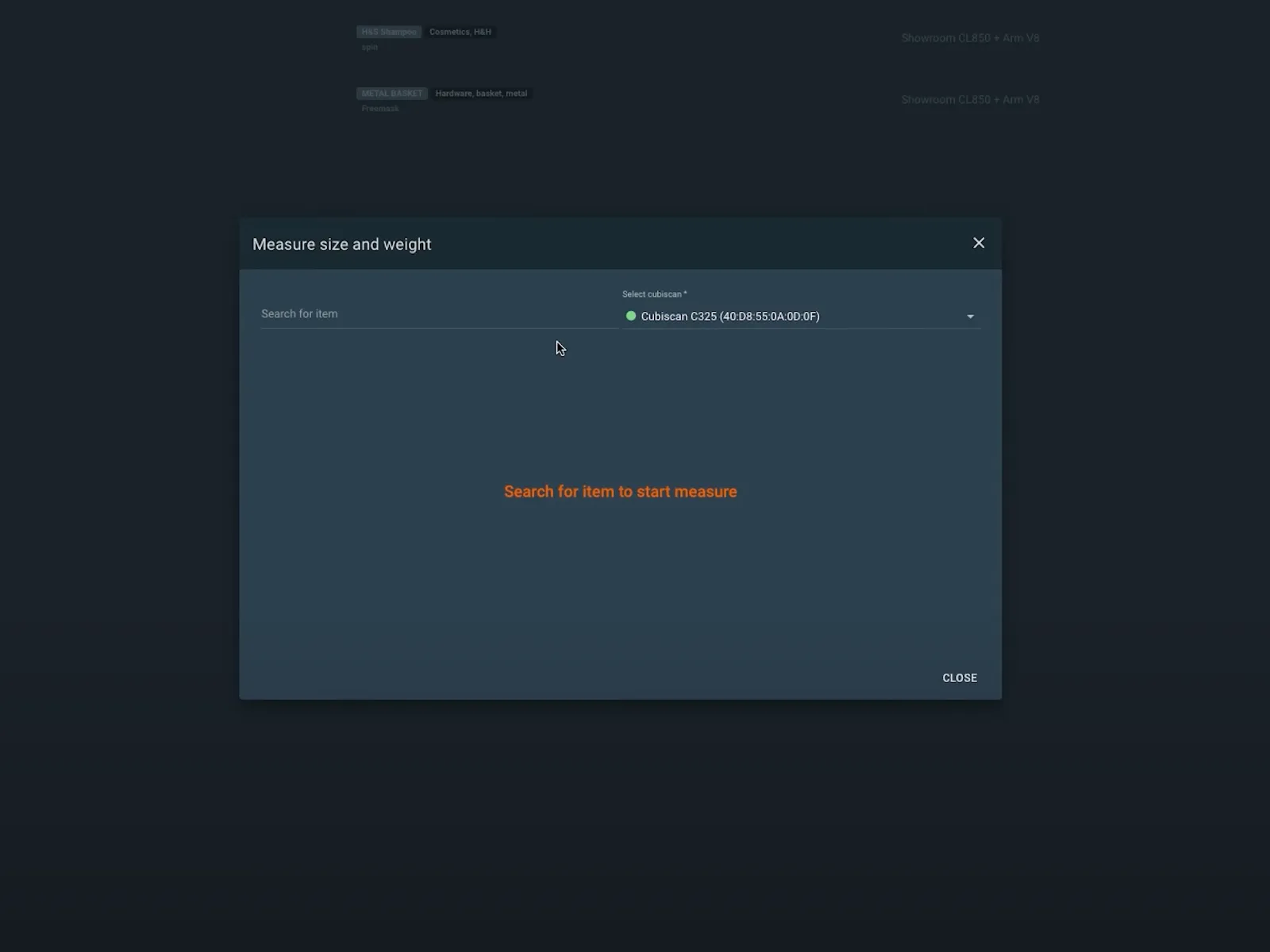
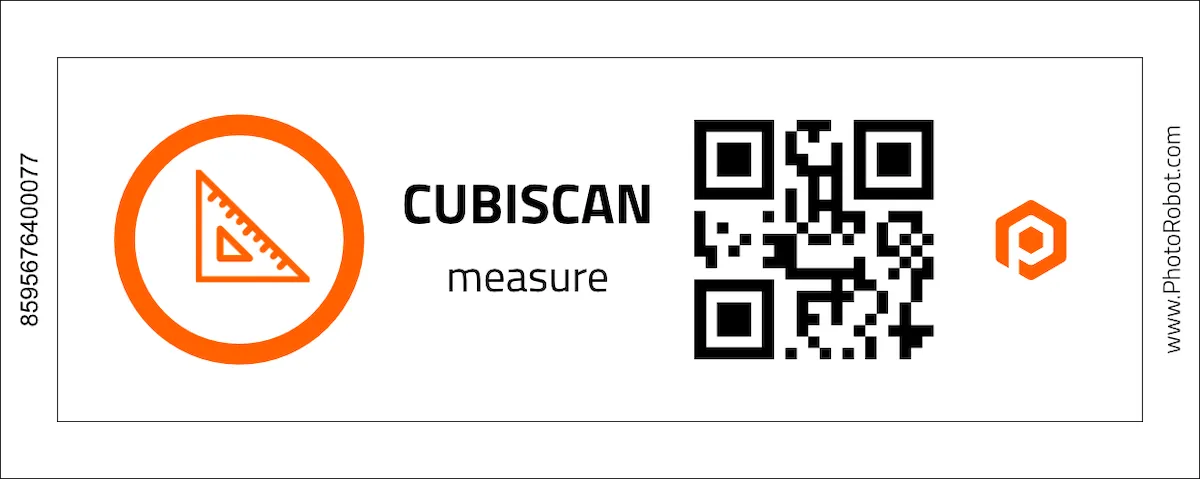
Εκτός από τη δυνατότητα σάρωσης αντικειμένων στο σύστημα, είναι επίσης δυνατή η σάρωση ενός ειδικού PhotoRobot SmartCode για την ενεργοποίηση μιας συσκευής CubiScan. Η σάρωση αυτού του SmartCode θα προετοιμάσει το CubiScan να μετρήσει το βάρος και τις διαστάσεις ενός αντικειμένου. Οι χρήστες σαρώνουν πρώτα το SmartCode και στη συνέχεια απλώς σαρώνουν τον κωδικό προϊόντος. Το CubiScan θα καταγράψει αυτόματα όλες τις μετρήσεις, τις διαστάσεις και το βάρος στο λογισμικό PhotoRobot.
Εκκίνηση του CubiScan στην εφαρμογή PhotoRobot Controls
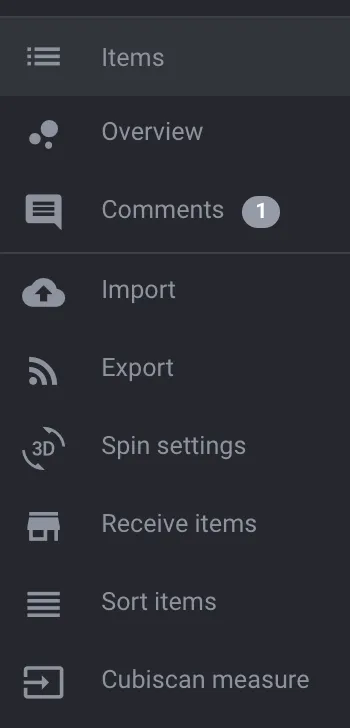
Για να βρείτε την επιλογή CubiScan στην εφαρμογή PhotoRobot Controls App, χρησιμοποιήστε το τυπικό μενού συστήματος και βρείτε την επιλογή CubiScan measure.


Σειρά EOS Rebel


Σειρά EOS DSLR


Σειρά καθρέπτη EOS M


Σειρά PowerShot


Κοντινό πλάνο / χειρός

Η σειρά Canon EOS Rebel Series προσφέρει φωτογραφικές μηχανές DSLR φιλικές για αρχάριους με σταθερή ποιότητα εικόνας, διαισθητικά χειριστήρια και ευέλικτες λειτουργίες. Ιδανικές για τους λάτρεις της φωτογραφίας, αυτές οι κάμερες παρέχουν αξιόπιστη αυτόματη εστίαση, οθόνες αφής μεταβλητής γωνίας και εγγραφή βίντεο Full HD ή 4K.
Σύνδεση
Ανάλυση (MP)
Ψήφισμα
Η σειρά Canon EOS DSLR προσφέρει εικόνες υψηλής ποιότητας, γρήγορη αυτόματη εστίαση και ευελιξία, καθιστώντας την ιδανική τόσο για τη φωτογραφία όσο και για την παραγωγή βίντεο.
Σύνδεση
Ανάλυση (MP)
Ψήφισμα
Η σειρά Canon EOS M Mirrorless Series συνδυάζει τη σχεδίαση μικρών διαστάσεων με απόδοση τύπου DSLR. Με εναλλάξιμους φακούς, γρήγορη αυτόματη εστίαση και αισθητήρες εικόνας υψηλής ποιότητας, αυτές οι κάμερες είναι ιδανικές για ταξιδιώτες και δημιουργούς περιεχομένου που αναζητούν φορητότητα χωρίς να θυσιάζουν την ποιότητα της εικόνας.
Σύνδεση
Ανάλυση (MP)
Ψήφισμα
Η σειρά Canon PowerShot προσφέρει συμπαγείς, φιλικές προς το χρήστη κάμερες για περιστασιακούς σκοπευτές και λάτρεις. Με μοντέλα που κυμαίνονται από απλές λήψεις έως προηγμένες κάμερες ζουμ, παρέχουν ευκολία, σταθερή ποιότητα εικόνας και λειτουργίες όπως σταθεροποίηση εικόνας και βίντεο 4K.
Σύνδεση
Ανάλυση (MP)
Ψήφισμα
Οι φωτογραφικές μηχανές Canon Close-Up &; Handheld έχουν σχεδιαστεί για λεπτομερείς, κοντινές φωτογραφίες και βίντεο. Συμπαγείς και εύχρηστες, προσφέρουν εστίαση ακριβείας, απεικόνιση υψηλής ανάλυσης και ευέλικτες δυνατότητες μακροεντολών, ιδανικές για vlogging, φωτογράφιση προϊόντων και δημιουργικά κοντινά πλάνα.


